One day one of my told me how to use
Feedburner Email subscription Form in blogger.
One of the ways to promote your FeedBurner feed on your Blogger site is by using FeedBurner's Publicity Tools.
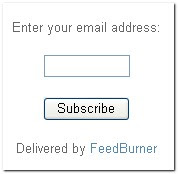
If are a new blogger,you may have seen an email subscrtiption form like the below one in other blogs while browsing. It is also a SEO technique to come back your visitor in your blog.

It is delevered by FeedBurner.When people subscribe,they will recieve a email with your blog posts whenever your blog is updated.It is a very easy thing and make your visitors come back again and again to your blog.
So, Lets go we can start our work.
- First sign in to your Feedburner account.
- Click on the "My Feeds" link at the top of the page and next ,click on your blog name[look at the below screenshot]
 Click on the Publicize Tab shown below
- Select the "Email Subscriptions" option[look at the left sidebar]

- Next you will see like this

- Click on Activate button
- If you look at the sidebar now,there are a few more options under the Email Subscriptions column namely Subscription Management,Communication Preferences,Email Branding and Delivery options.Edit them according to your needs.

- Now copy this following Code

- Go to your Blogger account.
- Dashboard>layout>add a page element>html/javascript
- And paste this code and save it,
- Hmm, You are done. Its a very simple to do.

 Today contact me form is added in seo for blogger. It’s a new feature which helps you to contact with me. Think everybody knows that email is the easiest way to communicate with me. If you have any question, advice, comment you can ask me by clicking on contact me button. As much as I can I will help you. Your any question you can send me. For reviewing your web site you can ask me freely. So don’t feel any hesitation you can ask me. Please wait three days for your answer. If you don’t get your answer please send your mail me again.


